Assistant (Explore)
The agent's chat surface — describe what you want tested and curate what it proposes at three checkpoints.
The Assistant is where you drive the agent. You describe what you want in plain language; the agent reads your intent, picks the right depth, explores the app in a real browser, and reports back. You never describe clicks or selectors — the agent figures out navigation, forms, and flows on its own.
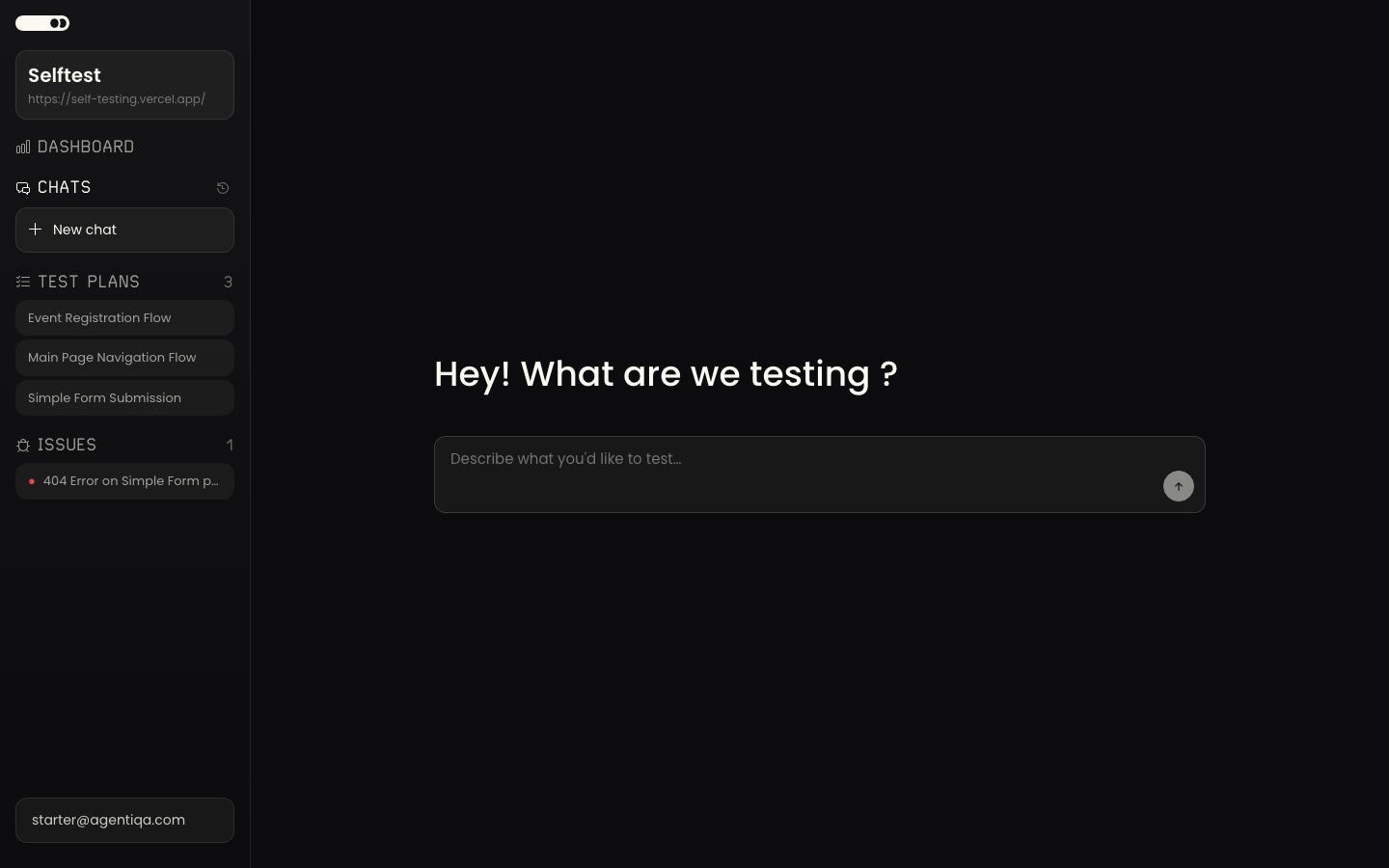
Say what you want, at any level
The same surface handles any level of specificity:
- "What can you test here?" — a conversational answer, no testing.
- "Does the login page load?" — a single check with an immediate answer.
- "Test registration" — focused exploration of one flow.
- "Test the app" — full discovery, scoped testing, a comprehensive report.
The three checkpoints
The agent proposes; you curate. Each level is an approval gate that defaults to "yes":
- Scope — the areas it discovered, ranked by risk. Approve all, uncheck low-value areas, or redirect.
- Plan — the testing strategy for each area (what to focus on and why, not hallucinated click steps). Approve, edit, or skip.
- Findings — the bugs it found, each with a screenshot and repro steps. This is the one step that always needs your review: confirm, dismiss, or re-test.
You choose your depth — hands-off (approve at scope and review only the final report), guided (curate scope and plans), or detailed (edit plans and redirect mid-session). All three are first-class.
Proactive questions
The agent asks for what it needs when it needs it — credentials for a page behind a login, or an API endpoint to reach an entity state the UI can't. It batches these requests at checkpoints rather than interrupting mid-action, and remembers what you provide for future sessions.
The Assistant is also available headless via the CLI explore
command, where every checkpoint auto-approves.