Feature guides
Runs & Run Detail
Every execution is recorded with per-step pass/fail, a verdict, video, and screenshots.
A run is one execution of a test plan (or a batch of them). Every run is recorded so you can review what happened, compare against history, and share the result.
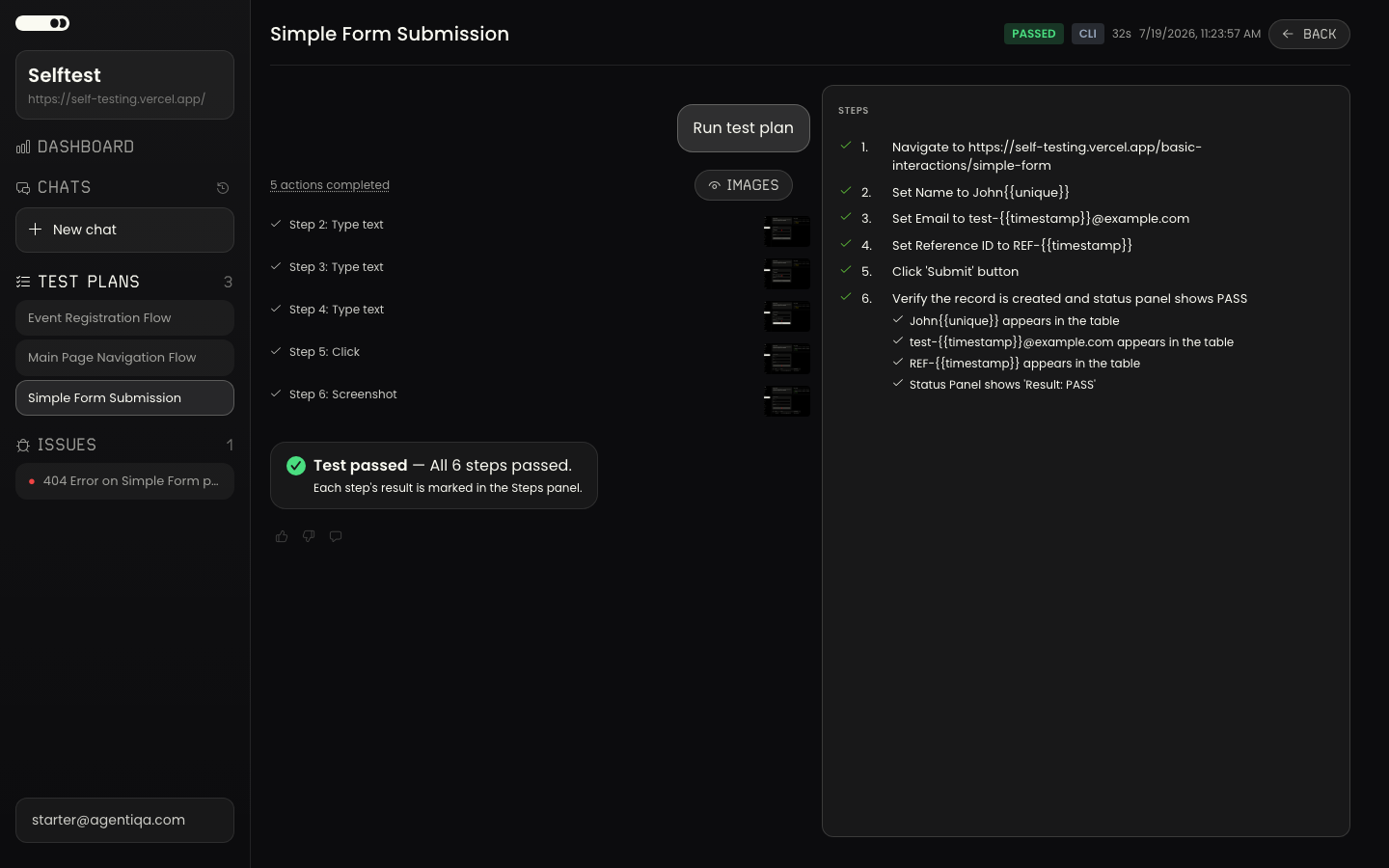
Run history
Each plan keeps a history of its runs. From the history you can open any past run to see how it went and how the result changed over time.
Run detail
The run detail view shows the execution end to end:
- Per-step results — pass/fail for each step, with the criteria that were checked.
- A verdict — the agent's professional opinion: ship, ship with known risks, or don't ship, with rationale.
- Evidence — screenshots and, when recorded, a video of the session.
Runs in automation
CLI and Action runs surface the same result as a JSON envelope, including a
per-plan outcome, durationSec, and (when available) a runUrl deep link back
to this view, a videoUrl, and — with --share / the Action's share-links — a
public shareUrl a reviewer can open without signing in. See
CI Integration.