Feature guides
Issues
Findings the agent reports — each with a screenshot and repro steps — plus the fix-and-retest loop.
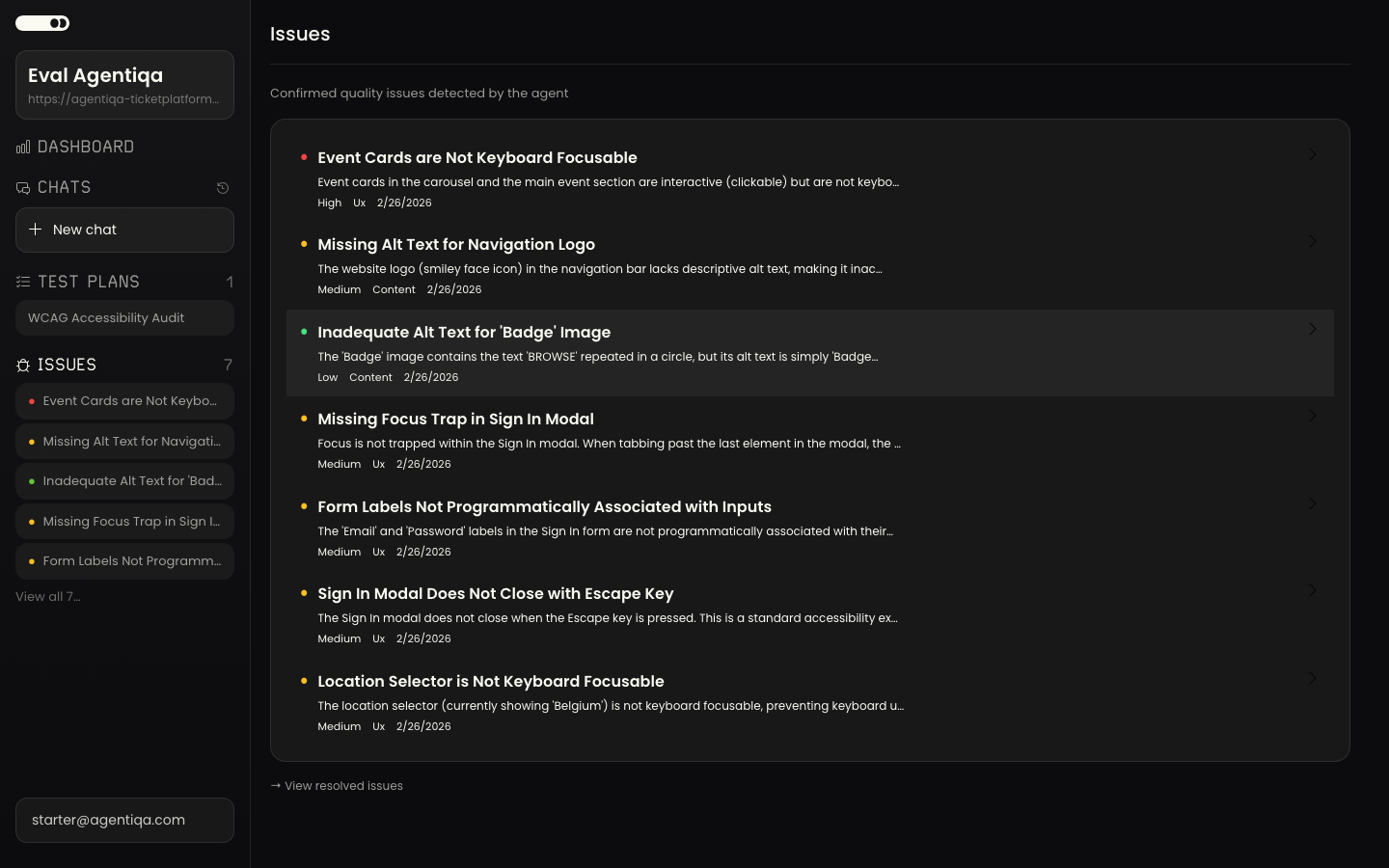
An issue is a bug the agent found. Every reported finding includes what's wrong, reproduction steps, and screenshot evidence. Issues live in the project and have a lifecycle from draft finding to confirmed to resolved.
The findings checkpoint
Issues first appear at the findings checkpoint in the Assistant, where each has two groups of actions:
- Fix actions — copy a fix request (a prompt for a coding agent like Claude Code or Cursor), or re-test to verify.
- Triage actions — screenshot, dismiss, or confirm.
The verdict adjusts reactively: if you dismiss all reported issues, it upgrades to "ship."
Fix and re-test
- Review the issue (repro steps + screenshot).
- Copy request to your coding agent and fix the code.
- Re-test — the agent spawns a focused explorer that replays the repro steps.
- Auto-resolve — if the issue no longer reproduces, it is marked resolved automatically. (An unconfirmed draft that doesn't reproduce is auto-dismissed instead.)
Browsing issues
The project's issues view lists open issues; resolved issues are kept separately, and each issue has a detail view with its evidence and history.